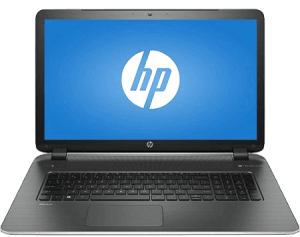
If your HP laptop keeps booting straight to the BIOS screen and won’t load Windows, you’re not alone. This is a very common repair case we see in Camden and North London, especially on laptops that haven’t been used for a while.
This page is based on a real Geeks Callout customer in Camden, supported by BIOS photo evidence, and written in as easily understandable for non-technical users.
Our Camden customer contacted us because:
They were worried it might be:
None of these were the cause.
What Our Engineers Found (Straight-forward Explanation)
From the BIOS screens, we confirmed:
Final diagnosis
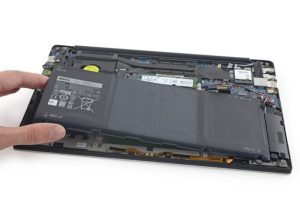
The internal hard drive had failed and was no longer readable.
When this happens, HP laptops:
Why This Happens So Often After Months of No Use
In Camden and across London, we see this frequently because:
This is normal wear and tear, not user error.
The Fix We Provided in Camden
Hard Drive Replacement with SSD (Solid-State Drive)
We:
Result
Data Recovery – Can Files Be Saved?
In many cases, yes.
For this Camden customer:
Tip: Repeatedly restarting a failing laptop can reduce recovery chances.
HP Laptop Repair in Camden – Local Service Page
Local HP Laptop Repair – Camden, North London
Geeks Callout provides professional HP laptop repair services in Camden and surrounding areas, including BIOS boot issues, hard drive failures, and Windows startup problems.
We Fix:
Why Choose Geeks Callout in Camden?
Aamir Mehmood is a Senior IT Consultant & Technology Writer with over 15+ years of experience and one of the founders of Geeks Callout, an award-winning London-based IT support company specialising in PC, MacBook, and gaming repairs. He is recognised for delivering reliable, customer-focused IT solutions. Under his leadership, Geeks Callout has won multiple honours, including the 2023 Business Excellence Award and the 2025 SME UK Enterprise Award. Aamir also writes insightful articles to simplify complex technology, making him a trusted voice in London’s IT community.