Common Symptoms of the Dell XPS Charging Problem
In this real-world case, the issue presented intermittently and unpredictably:
- Laptop does not charge when the AC adapter is plugged in
- Adapter sometimes not recognised at all
- Issue occurs more often when battery is below ~60%, but can happen at any level
- Charging resumes only after unplugging and re-plugging the adapter multiple times
- Rebooting the laptop
- Disconnecting and reconnecting the battery
Example of a Typical Failure Event
- Battery at 69%
- AC adapter plugged in, no charging
- Shutdown > unplug > re-plug adapter > power light briefly flashes
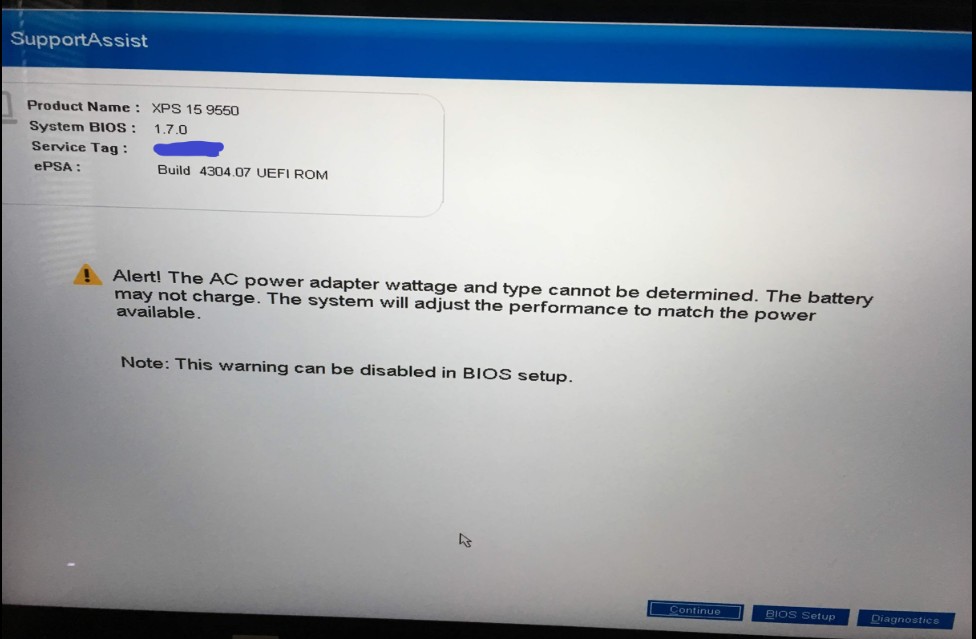
- Restart > Dell diagnostics message appears:
“AC power adapter wattage and type cannot be determined” - Disconnecting and reconnecting the battery temporarily restores charging
This cycle may repeat days or weeks later.
Troubleshooting Already Done (and Done Correctly)
This is important, all standard causes were ruled out:
- Tried multiple genuine Dell AC adapters
- Tested with a different battery
- Performed power resets
- Replaced the DC-in charging port
- Updated BIOS to latest version
- Laptop runs perfectly on AC power with battery disconnected
At this stage, charger-related issues are effectively eliminated.
Why This Is NOT a Charger or Battery Issue
Two key facts point away from the charger:
- The laptop works perfectly on AC power with the battery disconnected.
- This bypasses the charging circuit entirely.
- Disconnecting and reconnecting the battery temporarily fixes the issue
- Indicates an unstable charging control system, not a dead component.
If the charger, battery, or DC port were truly faulty, the problem would be consistent, not intermittent.
The Real Cause: Motherboard Charging Circuit Failure
What’s Actually Going Wrong?
The Dell BIOS warning
“AC power adapter wattage and type cannot be determined”
is a major clue.
This message usually indicates a failure in the adapter identification signal path. Dell chargers use a dedicated communication line to tell the motherboard:
- Adapter wattage
- Adapter authenticity
- Charging permission
When this signal becomes unstable, the system:
- Refuses to charge
- Limits power
- Behaves erratically
Why Replacing the DC Jack Didn’t Fix It
The DC-in port is the most common failure point, so replacing it was the right move.
However, once the port is confirmed good, the remaining suspects are on the motherboard:
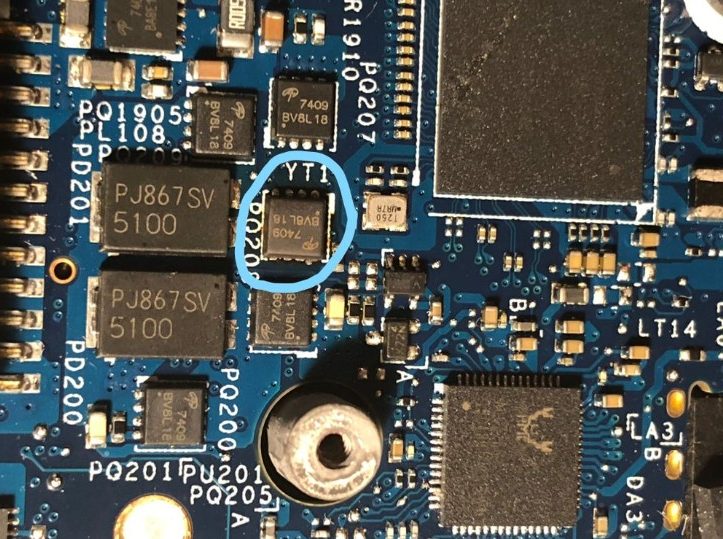
- Charging controller IC
- Power management IC (PMIC)
- Supporting resistors, MOSFETs, or signal traces
On 5-year-old Dell XPS models, these components often degrade due to:
- Heat cycles
- Power surges
- Long-term electrical stress
Dell Pre-Boot Diagnostics: Why Results Can Be Confusing
Dell diagnostics are useful, but limited.
In this case:
- CPU, memory, and general hardware tests passed
- Charging behaviour was inconsistent
- Results appeared contradictory
That’s normal.
Motherboard charging faults are often intermittent analogue failures, which:
- Don’t always trigger a hard diagnostic error
- Can pass tests when the fault isn’t active
Diagnostics not showing a clear failure does not rule out a motherboard issue.
Final Check
This Dell XPS charging issue is a classic motherboard charging circuit failure, not a charger or battery fault. The intermittent behaviour, BIOS warnings, and temporary fixes after battery reseating are all textbook signs.
If your laptop is stuck in this loop, you’re not imagining it, and you’re not alone.
We specialise in advanced Dell laptop faults, from charging issues to motherboard-level repairs, carried out at your home or office.