Building your own gaming PC is much more achievable than many people think. If you are comfortable following instructions, checking compatibility carefully, and taking your time, a custom build can give you better value than many pre-configured systems. UK suppliers such as PCSpecialist, Overclockers UK, and Scan all offer gaming PCs, custom builders, and a wide range of components, which shows how strong the UK market is for both self-builds and professionally assembled systems.
That said, “easy” does not mean “risk-free”. At Geeks Callout, we regularly see gaming PCs that were assembled successfully at first but later developed overheating, crashing, boot issues, instability under load, or poor upgrade compatibility. In our real-world experience, the biggest problems usually come not from installing the parts physically, but from choosing components that do not work well together, using inadequate cooling, or underestimating power, airflow, and BIOS setup.
Choosing the Right Parts Matters More Than People Think
The most important part of building a gaming PC is not the screwdriver work — it is choosing the right hardware combination in the first place. A good build starts with the CPU, motherboard, RAM, graphics card, storage, cooling, power supply, and case all working together properly. Retailers such as PCSpecialist and Overclockers UK build their configurators around exactly this idea: selecting compatible parts that suit the intended workload and budget.
When planning a build, we always advise customers to think about what games they actually play and at what resolution. A PC built for competitive 1080p gaming is not the same as one intended for 1440p ultra settings, 4K gaming, VR, or a mix of gaming and video editing. The best build is not necessarily the most expensive one; it is the one with the right balance of CPU power, GPU performance, memory capacity, and cooling for the user’s actual needs.
The Core Parts You Need for a Proper Gaming Build
A custom gaming PC usually requires the following key components:
-
processor (CPU)
-
compatible motherboard
-
suitable RAM
-
graphics card (GPU)
-
SSD or NVMe storage, and sometimes additional storage drives
-
a good power supply
-
a case with enough
-
airflow and internal space
-
CPU cooler and case fans
-
thermal paste
-
monitor and peripherals such as keyboard, mouse, and headset
Retailers like Scan and Overclockers UK also publish build and buying guidance that reflects the same basic structure for a gaming system.
CPU, Motherboard and RAM Compatibility Can Make or Break the Build
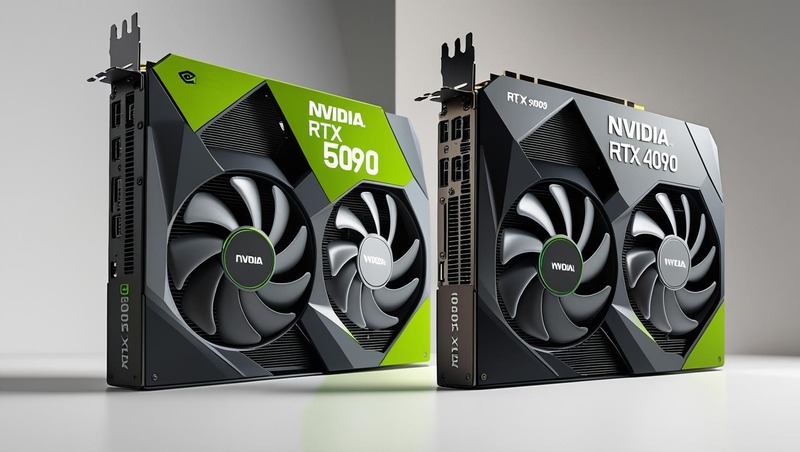
One of the most common mistakes we see is customers choosing a powerful CPU and GPU, but then pairing them with the wrong motherboard features, unstable memory settings, or a case that restricts airflow. In real repair work, we have seen systems with good individual parts still crash during gaming because the platform was not properly balanced or configured. In one case, a newer performance-focused graphics and motherboard combination actually behaved worse in certain games than an older setup until the underlying compatibility issue was identified and resolved.
This is why checking the motherboard chipset, CPU support, BIOS compatibility, RAM speed support, and physical GPU clearance matters so much. A build can look perfect on paper but still behave badly if memory training is unstable, thermals are poor, or the board is not happy with the selected hardware configuration.
Cooling Is Not Optional on a Gaming PC
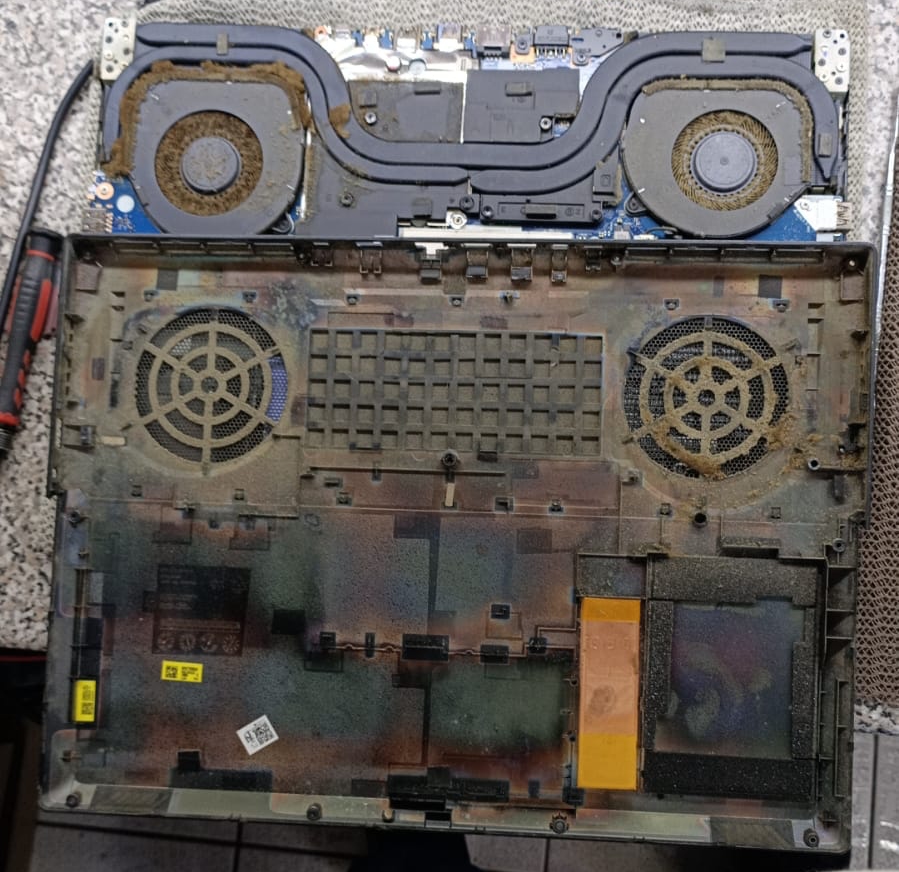
If there is one area people should not compromise on, it is cooling. High-performance CPUs and GPUs generate a lot of heat, especially during modern games, long sessions, or combined gaming and streaming workloads. Poor cooling can lead to stuttering, thermal throttling, unexpected shutdowns, blue screens, and reduced long-term reliability.
In our experience, many overheating problems come from one of four things:
a weak or badly fitted CPU cooler
poor-quality case airflow
low-grade fans
dried or badly applied thermal paste
A gaming PC can have a very strong processor and graphics card, but if the heat is not managed properly, the system will never perform as it should. Whether you use an air cooler or an all-in-one liquid cooler, the key is to choose a reliable solution that suits the CPU and the case layout. Cheap cooling often becomes expensive later when systems start crashing or running hot.
The Power Supply Should Never Be an Afterthought
A good power supply is one of the most overlooked parts of a gaming build. Many people focus heavily on the graphics card and processor, then choose the PSU based only on price. That is a mistake. A gaming system should always have a reliable, properly rated power supply with enough headroom for the CPU, GPU, storage, fans, and future upgrades.
A weak or poor-quality PSU can cause:
random shutdowns
instability under load
failed boot attempts
upgrade limitations later
When we build or repair gaming systems, we always look at the full power picture rather than just the advertised GPU requirement. A system might technically switch on with a lower-grade PSU, but that does not mean it is a good long-term setup.
Where to Buy Parts in the UK
For customers in London and across the UK, there are several established names for gaming PC parts and custom systems. PCSpecialist offers configurable custom PCs and gaming PCs through its online builder. Overclockers UK stocks gaming components, custom gaming PCs, and ready-built systems. Scan also offers PC components, build guides, and custom systems through its 3XS range. These are all commonly used sources for parts or full-system planning in the UK market.
That does not mean every build should be bought complete from a retailer. In many cases, a self-build still offers better control and value. But it does mean there are reliable UK-based sources for genuine components, upgrade parts, and pre-built alternatives if you would rather not do everything yourself.
Building It Yourself Is Possible — But Maintenance Still Matters
Once a gaming PC is built, the job does not end there. Ongoing maintenance is a major part of keeping the system healthy. Dust build-up, worn fans, old thermal paste, poor cable airflow, and neglected BIOS or driver updates can all affect performance over time.
We often remind customers that building a gaming PC and maintaining a gaming PC are two different things. A system that ran perfectly on day one can start overheating or crashing months later if it is never cleaned, if airflow is blocked, or if heavy hardware upgrades are added without checking temperatures and power delivery again.
When It Makes Sense to Get Professional Help
There is nothing wrong with building your own system if you are willing to research properly and work carefully. But it is also sensible to get professional help when:
you are unsure about compatibility
the system crashes after assembly
temperatures seem too high
the PC powers on but there is no display
RAM, storage or BIOS issues appear after the build
you want a higher-end gaming or editing machine done properly from the start
At Geeks Callout, we help customers across London and the UK with gaming PC repairs, upgrades, cooling issues, custom builds, and diagnostics. Sometimes customers simply need advice before ordering parts. In other cases, they need a system assembled, upgraded, or repaired after something has gone wrong.
Final Thoughts
Building a gaming PC yourself can absolutely be done with limited knowledge, provided you approach it carefully and do not rush the planning stage. The physical build process is often the easy part. The harder part is choosing the right parts, cooling the system properly, and making sure the whole platform works together the way it should.
If you are planning a custom gaming PC and want to avoid expensive mistakes, good advice at the start is often worth far more than replacing the wrong parts later. And if your current gaming PC is crashing, overheating, or not performing as expected, it is usually better to diagnose the issue properly than keep guessing.
Author 's Profile
Aamir.M
Aamir Mehmood is a Senior IT Consultant & Technology Writer with over 15+ years of experience and one of the founders of Geeks Callout, an award-winning London-based IT support company specialising in PC, MacBook, and gaming repairs. He is recognised for delivering reliable, customer-focused IT solutions. Under his leadership, Geeks Callout has won multiple honours, including the 2023 Business Excellence Award and the 2025 SME UK Enterprise Award. Aamir also writes insightful articles to simplify complex technology, making him a trusted voice in London’s IT community.