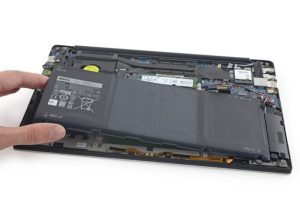
From Processor Failure to RAM Slot Repair: How We Fixed a Dell XPS 9570 in Islington
From Processor Failure to RAM Slot Repair: How We Fixed a Dell XPS 9570 in Islington 16 Dec, 2025 Facebook Twitter Youtube Instagram At Geeks
@geekscallout
15 July, 2021
Microsoft has officially launched the Windows 11 operating system, which will be available for the operating system from End of 2021 or the beginning of 2022. Microsoft will roll out the update for Windows 10 possibly in the winter holidays.
We have been having questions like either data will be lost after upgrading to Windows 11, many people would like to know if PC or Laptop hardware is compatible with Windows 11? One of the key questions is what is TPM, PTT or Secure boot to run Windows 11?
TPM (Trusted Platform Modules) allow a PC to run at certain security-related functions at the hardware level. If you have no idea what is it, don’t need to worry, most of the computers and laptops does come which this type of hardware pr-built, which means you don’t need to buy any hardware or TPM compatible machine.
In case your machine doesn’t have the TPM 2.0 Chip, the first option would be to return the PC under manufacturer warranty. Of course, only if your PC manufacturer is willing to install the TPM chip that already sold you or replace your model with the one that has a chip installed already. Your second and most expensive option is if your PC is not under warranty or the manufacturer do not cover
Most Computer and Laptop motherboards support TPM, PTT or secure boot. All you have to do get into the Bios, find the option and enable it. Once it’s enabled, you can easily install or update your PC to Windows 11. We have made a video showing, how to enable TPM, PTT or Secure boot in PC Bios. We have covered most of the famous manufacturer BIOS, Asus, MSI, AsRock, Gigabyte and etc. Watch the video below.
If you are not sure how to get into the BIOS and enable TPM, PTT or Secure Boot, Dont worry, call us and speak to our professional PC expert to help you over the phone. We can also send our engineer to you to get it sorted. Call us at 0203 290 5190 or email us at info@geekscallout.co.uk.

From Processor Failure to RAM Slot Repair: How We Fixed a Dell XPS 9570 in Islington 16 Dec, 2025 Facebook Twitter Youtube Instagram At Geeks

High-End Custom Gaming PC Build in Chelsea, London, Built by Geeks Callout 15/12/2025 Facebook Twitter Youtube Instagram At Geeks Callout London, we recently completed a
Are PCIe 5.0 SSDs Worth It for Gamers in London? A Practical Guide Dec , 2025 Facebook Twitter Youtube Instagram If you’re into PC gaming here in
Windows 11 December Update Fixes Taskbar Crashes , But Comes with a Few Hiccups Dec, 2025 Facebook Twitter Youtube Instagram If you’ve been banging your

Case Study: Full Gaming PC Repair & Cooling System Replacement – Camden / Kentish Town Updated: 9 Dec , 2025 Facebook Twitter Youtube Instagram At

Microsoft Surface Laptop 4 (Model 1979) Screen Repair Near Islington – London 25 Nov, 2025 Facebook Twitter Youtube Instagram At Geeks Callout, we receive hundreds