HP Laptop Stuck on BIOS Screen in Camden, London – Local Repair & Fix
HP Laptop Stuck on BIOS Screen in Camden, London – Local Repair & Fix 15 Jan, 2026 Facebook Twitter Youtube Instagram If your HP laptop keeps booting

Tech Writer
Update: Nov 2025
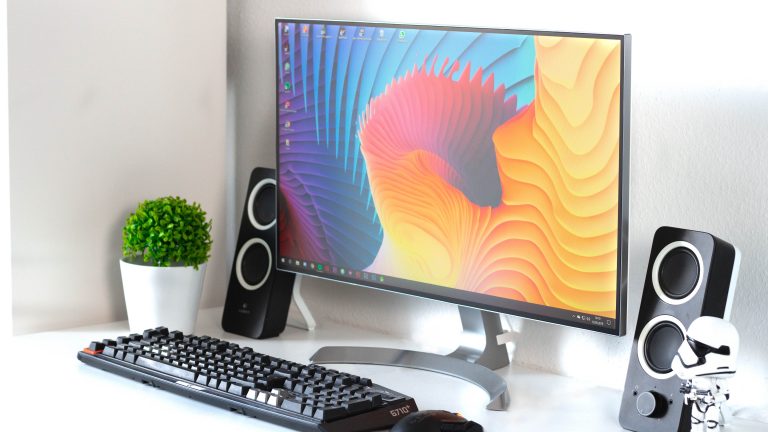
Choosing the right screen isn’t just about picking the biggest size or the cheapest price. A good monitor turns your PC into a powerful workstation or gaming setup. This guide helps you decide the best monitor screen based on what you actually use your computer for.
What’s Your Purpose? Define Use Before Specs
Before you look at screen specs, ask yourself:
Your purpose will decide the monitor features you should prioritise.
Key Monitor Features: What Really Matters
Here are the main specs to consider, and why they’re important:
Feature
Why It Matters / When It Matters
Screen Size & Format
A 24–27″ monitor is ideal for most desks. If you sit close, a 24″ full-HD is fine; for fixed desks or multi-tasking, 27″+ gives more workspace.
Resolution
Full HD (1920×1080) is okay for general tasks. For sharper text, editing, or gaming, go for QHD (1440p), OLED or even 4K. Bigger screens + low resolution = blurry
Panel Type (IPS / VA / TN / OLED)
IPS gives best colour accuracy & wide viewing angles, great for designers, editors, multi-user desks. VA offers a strong contrast (good for movies). TN is cheap + fast but poor colour, mostly for budget or competitive gaming. OLED (or QLED / high-end IPS) delivers top visuals if budget allows.
Refresh Rate & Response Time
For standard office work or media: 60 Hz is fine. For gaming or fast editing: 120 Hz+, 144 Hz or more + ≤5 ms (or even 1–2 ms) improves smoothness, reduces motion blur and input lag.
Ergonomics & Connectivity
Adjustable stand (height/tilt/pivot), VESA mount, good connectivity (HDMI, DisplayPort, USB-C), and blue-light / flicker-free for comfort in long hours.
Colour Accuracy / Brightness / Contrast
Important for photo/video editing, design, movie watching. Better panels give richer colours, sharper images, less eye strain.
What to Pick, Recommendations Based on Use
Extra Tips, Avoid Common Mistakes
Quick Summary, What to Aim For
Remember: “Best monitor” = what fits your use, desk, and budget, not the biggest or most expensive screen.
Aamir Mehmood is a Senior IT Consultant & Technology Writer with over 15+ years of experience and one of the founders of Geeks Callout, an award-winning London-based IT support company specialising in PC, MacBook, and gaming repairs. He is recognised for delivering reliable, customer-focused IT solutions. Under his leadership, Geeks Callout has won multiple honours, including the 2023 Business Excellence Award and the 2025 SME UK Enterprise Award. Aamir also writes insightful articles to simplify complex technology, making him a trusted voice in London’s IT community.

HP Laptop Stuck on BIOS Screen in Camden, London – Local Repair & Fix 15 Jan, 2026 Facebook Twitter Youtube Instagram If your HP laptop keeps booting

Dell XPS Not Charging? Charger Seems Fine but the Real Problem Is the Motherboard 06 Jan, 2026 Facebook Twitter Youtube Instagram If your Dell XPS

From Processor Failure to RAM Slot Repair: How We Fixed a Dell XPS 9570 in Islington 16 Dec, 2025 Facebook Twitter Youtube Instagram At Geeks

High-End Custom Gaming PC Build in Chelsea, London, Built by Geeks Callout 15/12/2025 Facebook Twitter Youtube Instagram At Geeks Callout London, we recently completed a
Are PCIe 5.0 SSDs Worth It for Gamers in London? A Practical Guide Dec , 2025 Facebook Twitter Youtube Instagram If you’re into PC gaming here in
Windows 11 December Update Fixes Taskbar Crashes , But Comes with a Few Hiccups Dec, 2025 Facebook Twitter Youtube Instagram If you’ve been banging your