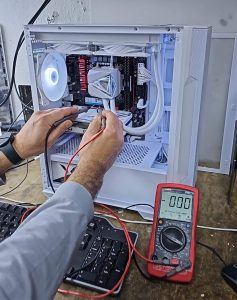
Dell XPS Not Charging? Charger Seems Fine but the Real Problem Is the Motherboard

Picture of Amir.M
Amir.M

Tech Writer

06 Jan, 2026

If your Dell XPS laptop intermittently stops charging, shows errors like “AC power adapter wattage and type cannot be determined”, or only charges after repeated unplugging, rebooting, or disconnecting the battery, you’re not alone.

Many Dell XPS owners in the UK initially assume this is a faulty charger or battery. In reality, as this case clearly demonstrates, the root cause often lies on the motherboard, specifically within the charging circuit.

This article explains the symptoms, the troubleshooting already done, what those signs actually mean, and when a motherboard-level repair or replacement becomes unavoidable.

Common Symptoms of the Dell XPS Charging Problem

In this real-world case, the issue presented intermittently and unpredictably:

  1. Laptop does not charge when the AC adapter is plugged in
  2. Adapter sometimes not recognised at all
  3. Issue occurs more often when battery is below ~60%, but can happen at any level
  4. Charging resumes only after unplugging and re-plugging the adapter multiple times
  5. Rebooting the laptop
  6. Disconnecting and reconnecting the battery

Example of a Typical Failure Event

  1. Battery at 69%
  2. AC adapter plugged in, no charging
  3. Shutdown > unplug > re-plug adapter > power light briefly flashes
  4. Restart > Dell diagnostics message appears:
    AC power adapter wattage and type cannot be determined
  5. Disconnecting and reconnecting the battery temporarily restores charging

This cycle may repeat days or weeks later.

Troubleshooting Already Done (and Done Correctly)

This is important, all standard causes were ruled out:

  1.  Tried multiple genuine Dell AC adapters
  2. Tested with a different battery
  3. Performed power resets
  4. Replaced the DC-in charging port
  5. Updated BIOS to latest version
  6. Laptop runs perfectly on AC power with battery disconnected

At this stage, charger-related issues are effectively eliminated.


Why This Is NOT a Charger or Battery Issue

Two key facts point away from the charger:

  1. The laptop works perfectly on AC power with the battery disconnected.
    1. This bypasses the charging circuit entirely.
  1. Disconnecting and reconnecting the battery temporarily fixes the issue
    1.  Indicates an unstable charging control system, not a dead component.

If the charger, battery, or DC port were truly faulty, the problem would be consistent, not intermittent.

The Real Cause: Motherboard Charging Circuit Failure
What’s Actually Going Wrong?

The Dell BIOS warning
AC power adapter wattage and type cannot be determined
is a major clue.

This message usually indicates a failure in the adapter identification signal path. Dell chargers use a dedicated communication line to tell the motherboard:

  1. Adapter wattage
  2. Adapter authenticity
  3. Charging permission

When this signal becomes unstable, the system:

  1. Refuses to charge
  2. Limits power
  3. Behaves erratically
 

Why Replacing the DC Jack Didn’t Fix It

The DC-in port is the most common failure point, so replacing it was the right move.

However, once the port is confirmed good, the remaining suspects are on the motherboard:

  1. Charging controller IC
  2. Power management IC (PMIC)
  3. Supporting resistors, MOSFETs, or signal traces

On 5-year-old Dell XPS models, these components often degrade due to:

  1. Heat cycles
  2. Power surges
  3. Long-term electrical stress
 

Dell Pre-Boot Diagnostics: Why Results Can Be Confusing

Dell diagnostics are useful, but limited.

In this case:

  1. CPU, memory, and general hardware tests passed
  2. Charging behaviour was inconsistent
  3. Results appeared contradictory

That’s normal.

Motherboard charging faults are often intermittent analogue failures, which:

  1. Don’t always trigger a hard diagnostic error
  2. Can pass tests when the fault isn’t active

Diagnostics not showing a clear failure does not rule out a motherboard issue.

Can This Be Repaired or Does the Motherboard Need Replacing?

There are two realistic outcomes:

Option 1: Motherboard-Level Repair (Component Repair)

  1. Possible if the charging IC or signal path can be isolated
  2. Requires microsoldering and board-level diagnostics
  3. Not all repair centres offer this, but Geeks Callout can do this.

Option 2: Motherboard Replacement

  1. Most common final resolution in Dell support cases
  2. Guaranteed fix
  3. Higher cost, but reliable

In many Dell XPS cases reported on forums and repair logs, motherboard replacement is the permanent solution once all other components are ruled out.


When Should You Stop Replacing Parts?

Stop spending money on:

  1. New chargers
  2. New batteries
  3. Replacing the DC port again

If:

  1. The laptop runs on AC without the battery
  2. Charging resumes temporarily after reseating the battery
  3. BIOS reports adapter identification errors

The issue is not external.


Advice for Dell XPS Owners in London

If you’re experiencing this issue:

  1. Get the Dell motherboard professionally assessed
  2. Avoid shops that keep selling chargers as a fix
  3. Ask specifically about charging IC or adapter ID line faults

A proper diagnosis saves money long-term.

Final Check

This Dell XPS charging issue is a classic motherboard charging circuit failure, not a charger or battery fault. The intermittent behaviour, BIOS warnings, and temporary fixes after battery reseating are all textbook signs.

If your laptop is stuck in this loop, you’re not imagining it, and you’re not alone.

Trusted Dell Laptop Repair in London

We specialise in advanced Dell laptop faults,  from charging issues to motherboard-level repairs, carried out at your home or office.

Author 's Profile

Picture of Aamir.M

Aamir.M

Aamir Mehmood is a Senior IT Consultant & Technology Writer with over 15+ years of experience and one of the founders of Geeks Callout, an award-winning London-based IT support company specialising in PC, MacBook, and gaming repairs. He is recognised for delivering reliable, customer-focused IT solutions. Under his leadership, Geeks Callout has won multiple honours, including the 2023 Business Excellence Award and the 2025 SME UK Enterprise Award. Aamir also writes insightful articles to simplify complex technology, making him a trusted voice in London’s IT community.

Call Now Button