HP Spectre x360 Auto Shutdown Repair in Kensington

HP Spectre x360 13-ac052na Fixed After Unexpected Shutdown Fault

A customer from Kensington contacted Geeks Callout London after their HP Spectre x360 13-ac052na started shutting down while loading Windows 11. The laptop was fitted with an Intel Core i7-7500U processor, 8GB RAM and NVMe SSD, so it was still a very capable machine for home working, office use and day-to-day productivity.

The customer was understandably worried. The laptop was used regularly for work, and the main concern was not just the repair itself, but whether the data stored on the NVMe SSD would remain safe.

At first, the symptoms sounded similar to a failing battery or power-related fault. In many cases, a laptop may show charge but still shut down quickly if the battery is unstable or unable to deliver proper power. We guided the customer over the phone and asked them to connect the charger and try switching the laptop on. Unfortunately, the issue remained the same.

At that point, we advised the customer not to keep forcing the laptop to power on. Repeated attempts can sometimes make the fault worse, especially if there is an internal board issue or unstable power behaviour.


Collection from Kensington for Lab Diagnosis

The customer called us in the evening and needed the laptop checked quickly. We arranged collection from Kensington and brought the HP Spectre x360 to our repair lab for a proper diagnosis.

With premium ultrabooks like the HP Spectre, guessing the fault is risky. These machines are compact, tightly built and have delicate internal components. A shutdown problem can be caused by several things, including battery failure, overheating, liquid damage, a shorted component, SSD issues, or a motherboard-level fault.

Our first step was to inspect the laptop carefully and confirm what was actually causing the shutdown.


What We Found Inside the HP Spectre

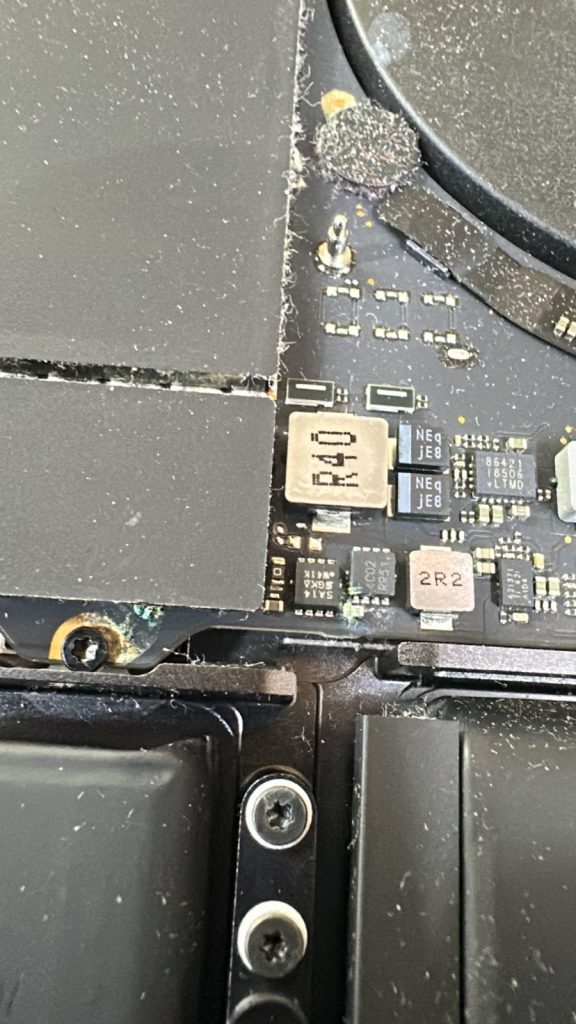
After opening the laptop and carrying out internal checks, our engineer found signs of previous liquid damage. The laptop had likely been exposed to liquid at some point, and the affected components were causing the system to behave incorrectly.

Instead of booting normally, the laptop was shutting itself down as a protective response. In many modern laptops, if the board detects unstable behaviour or a fault in a key area, the system may power off to prevent further damage.

This explained why the laptop was not loading Windows properly and why the fault did not behave like a normal software problem.

The customer had not expected liquid damage to be involved, which is common. A laptop can sometimes keep working for a while after a spill or moisture exposure, then later start developing faults such as shutdowns, charging problems, keyboard issues, display faults or complete power failure.


Motherboard-Level Diagnosis and Repair

Once the issue was confirmed, we contacted the customer, explained what we had found, and gave clear advice on the repair needed.

The faulty components on the logic board were identified and replaced. This type of repair requires proper diagnosis because the visible symptom, in this case, the laptop shutting down, does not always reveal the real cause.

A good repair is not just about replacing parts quickly. The most important stage is finding the exact fault first. Once the affected components were replaced, we continued with further checks to make sure the laptop was stable.


Full Service and Internal Cleaning

As part of the repair, we also carried out a general internal service. The laptop was cleaned, the cooling system was checked, and fresh thermal paste was applied where needed.

This is important because overheating can also contribute to sudden shutdowns and poor performance. Even when the main fault is board-related, it makes sense to check the cooling system properly before returning the device to the customer.


The HP Spectre x360 was then tested for:

  • power stability

  • Windows booting

  • charging behaviour

  • screen output

  • keyboard and trackpad response

  • SSD detection

  • temperature behaviour

  • general performance

After repair and testing, the laptop was working normally again.


Data Safety Was a Key Concern

The customer was especially concerned about the data stored on the laptop. Because the NVMe SSD was not the cause of the problem, the customer’s data remained safe.

This is one of the reasons we always recommend professional diagnosis before assuming a laptop is beyond repair. In many cases, even if the laptop will not boot, the data may still be recoverable or fully intact.


Completed and Returned as Promised

We kept the customer updated throughout the repair and completed the work within the agreed timeframe. The laptop was repaired, serviced, tested and returned to the customer in Kensington.

The HP Spectre x360 was no longer shutting down during Windows startup, and the customer was able to use the laptop again without losing their files.


The Result

This HP Spectre x360 came in with an unexpected shutdown fault that initially looked like a possible battery or power issue. After proper inspection, we found previous liquid damage affecting key board components.

The repair included:

  • internal inspection

  • liquid damage diagnosis

  • faulty component replacement

  • motherboard-level repair

  • cooling system check

  • internal cleaning

  • fresh thermal paste

  • full testing before return

The laptop was successfully repaired and returned to the customer working again.


Why This Case Matters

This case shows why laptop shutdown problems should not be ignored. If a laptop turns off while loading Windows, keeps restarting, or refuses to stay powered on, the fault may not be software-related. It could be an internal hardware issue, a power fault, overheating, or previous liquid damage.

Trying to switch the laptop on repeatedly can sometimes make the problem worse. The safest option is to stop using the device and arrange a proper diagnosis.


Need Help with an HP Laptop Repair in London?

If your HP laptop is shutting down, not charging, overheating, or failing to load Windows, Geeks Callout London can help. We repair HP Spectre, Pavilion, Envy, EliteBook and other HP laptop models for customers across London, including Kensington and nearby areas.

Contact Geeks Callout London to arrange collection, diagnosis or repair.

Author 's Profile

Picture of Aamir.M

Aamir.M

Aamir Mehmood is a Senior IT Consultant & Technology Writer with over 15+ years of experience and one of the founders of Geeks Callout, an award-winning London-based IT support company specialising in PC, MacBook, and gaming repairs. He is recognised for delivering reliable, customer-focused IT solutions. Under his leadership, Geeks Callout has won multiple honours, including the 2023 Business Excellence Award and the 2025 SME UK Enterprise Award. Aamir also writes insightful articles to simplify complex technology, making him a trusted voice in London’s IT community.