- Service Details
Laptop Water Damage Repair London – Fast, Safe & Professional
Don’t panic. Turn it off, unplug it, and let our London specialists rescue the laptop motherboard and recover your data.
Motherboard Repair
Component-Level motherboard Repair using BGA Chip Rework
Data Recovery
Don’t panic, liquid damage? data can still be recovered.
Battery Issue
Not an issue, we can get the battery replaced
Screen Display
screen is half dead or showing gray color - its fixable
Some keys aren't working? Its time to replace the keyboard
Boot Stuck
Stuck in boot loop, SSD possibly not responding
Random Restart
Common problem, Laptop needs to be fixed asap!
Overheating
The temperature sensor may not be functioning properly.
Spilled Water, Tea, Coffee or Juice on Your Laptop? We Can Help
Liquid damage can stop a laptop instantly, but in many cases the device can still be repaired if it is handled quickly and correctly. At Geeks Callout London, we provide professional laptop liquid damage repair for home users, students, freelancers and businesses across London.
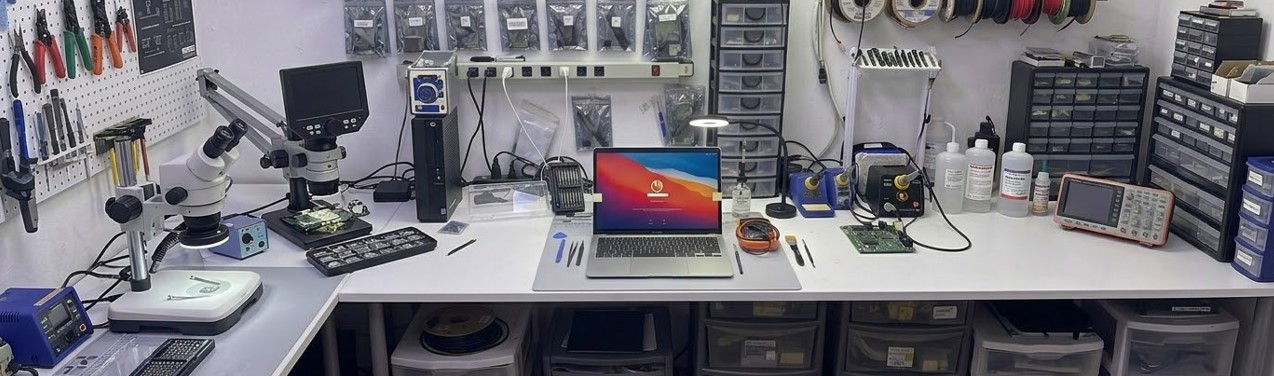
Our engineers inspect the laptop carefully, check the logic board or motherboard, clean affected areas, test the power circuit, and advise whether repair is possible before replacing unnecessary parts. We can arrange collection, diagnosis and repair, with clear advice at every stage.
Do not keep trying to switch the laptop on. If liquid is still inside the device, turning it on can cause further short circuits and make the repair more difficult.
Professional Laptop Liquid Damage Repair in London
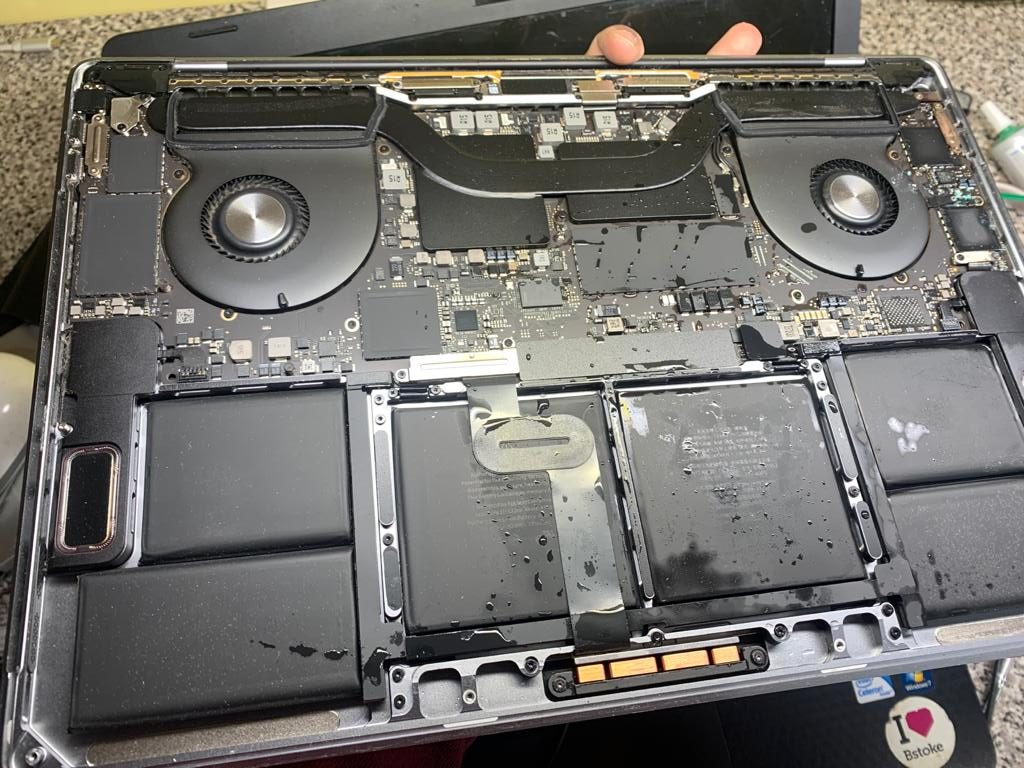
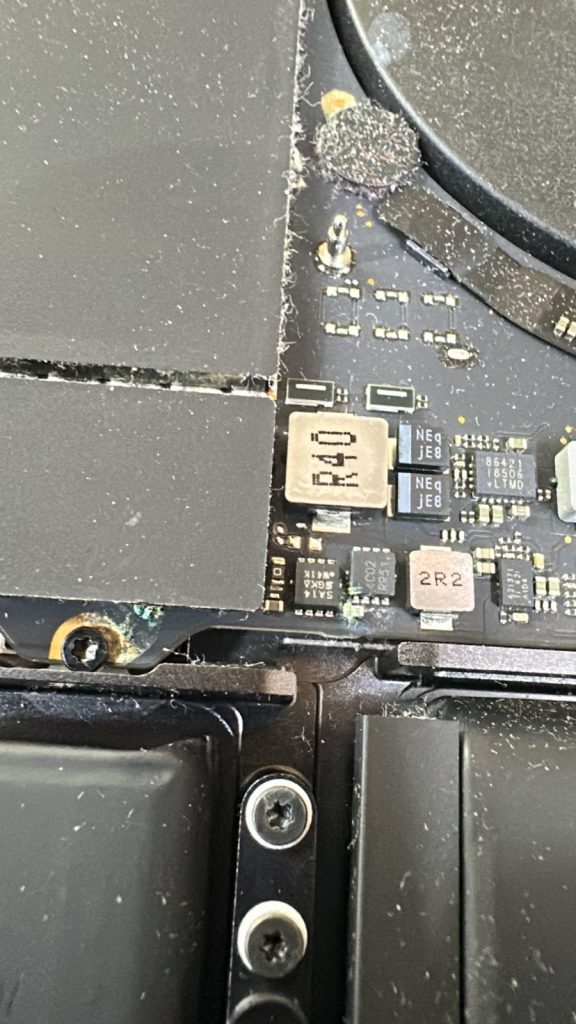
Liquid damage is not always visible from the outside. A laptop may look dry but still have moisture, corrosion or sticky residue inside. Drinks such as tea, coffee, juice, fizzy drinks and alcohol can be especially damaging because they leave deposits on the circuit board.
At Geeks Callout London, we open the laptop and carry out a proper inspection before giving repair advice. Depending on the condition of the device, we may clean the affected board, remove corrosion, test power rails, inspect the keyboard, check the charging circuit, examine the screen connection and test the SSD or storage device for data safety.
Our aim is simple: repair what can be repaired, protect your data where possible, and give you honest advice before major parts are replaced.
Common Liquid Damage Problems We Repair
Liquid damage can cause different symptoms depending on where the spill reached inside the laptop. Some laptops fail instantly, while others work for a few hours or days before developing faults.
Common problems include:
Laptop not turning on
Keyboard keys not working
Laptop charging but not starting
Trackpad not responding
Random shutdowns
Burning smell or overheating
Fan spinning but no display
USB or charging ports not working
Laptop turning on only when connected to charger
Sticky keyboard after tea, coffee or juice spill
Corrosion on motherboard or charging circuit
Even if the laptop still works after a spill, we recommend having it inspected. Liquid residue can slowly corrode internal components and cause failure later.
- Real Repair Result
Before & After: Bringing London's liquid Damage Laptop Back to Life
We fixed a laptop that was soaked in water and had no display. This was fixed and it is working perfectly.

This Laptop required a new motherboard, which was nearly the cost of a new Laptop. However, our Liquid damage expert engineer managed to repair it for just under £250, and it has been working flawlessly ever since.
Why Liquid Damage Needs Proper Diagnosis
Liquid damage is different from a normal hardware fault. A laptop may need a keyboard replacement, board cleaning, charging port repair, battery check, or in more serious cases, logic board repair. Guessing the fault without opening the device can lead to wasted money.
For example, a laptop that does not turn on after a spill may not always need a new motherboard. Sometimes the issue is corrosion near a power circuit, a shorted component, a damaged keyboard connection, or a failed charging section. Proper diagnosis helps avoid unnecessary replacement.
This is why we inspect first, explain the damage, and then advise the most sensible repair option.
Can Data Be Recovered After Liquid Damage?
In many liquid damage cases, the data may still be recoverable, especially if the SSD or storage drive has not been damaged. Our first priority is always to protect your data where possible.
If the laptop cannot be repaired economically, we can still check whether your files, photos, work documents or business data can be recovered from the internal storage device.
We always advise customers not to keep powering the laptop on after a spill, because repeated attempts can increase the risk of damaging internal storage or the motherboard.
Areas We Cover in London
We provide laptop liquid damage repair support across London, including Central London, West London, North London, East London and South London.
Common service areas include Kensington, Chelsea, Ealing, Hammersmith, Fulham, Camden, Islington, Canary Wharf, Westminster, Richmond, Twickenham, Croydon and nearby locations.
If your laptop has liquid damage, contact us and we will advise the best option for inspection, collection or repair.
- Our Process
Our Laptop Liquid Damage Repair Work
Laptop not turning on after a water spill, keyboard, screen problems, charging faults, overheating, and logic board corrosion – We can fix it all.
Collection or Visit
We arrange collection for serious liquid damage or engineer can visit, open, clean and fix at your place.
Board Cleaning and Corrosion Treatment
We clean area carefully including sticky residue, treating corrosion and cleaning motherboard.
Clear Quote Before Repair
Once fault is confirmed, we provide clear repair quote. We provide original and genuine parts.
No Fix, No Fee Guarantee
if we cannot repair the problem, you dont pay anything.
Final Testing Before Return
After repair, we rest power including charging, display, keyboard, wifi and charging ports before return.
Trust by London Customers
Customers praise our fast response, professionalisam and very high reliable repair service.
- HAVE QUESTION?
Frequently Asked Question
Accidentally spilled coffee, tea, water or juice on your laptop? If your device has suffered liquid damage, you may be worried about whether it will turn on again, whether your files are safe, and what you should do next.
In this section, we answer the most common questions customers ask about laptop liquid damage repair in London, including water damage diagnosis, internal cleaning, motherboard inspection, keyboard faults, charging issues and data recovery. Our aim is to give you clear, practical guidance so you can act quickly and choose a professional laptop liquid damage repair service with confidence.
Can a liquid-damaged laptop be repaired?
Should I put my laptop in rice after a spill?
Can I use a hairdryer to dry my laptop?
My laptop still works after a spill. Do I still need it checked?
Can you save my data?
How does "No Fix No Fee" Works?
Our “No Fix, No Fee policy” means that if our engineer do not have the required technical knowledge, skills or ability to resolve your issue, then we do not charge anything.
If our engineer can resolve the issue, but , the customer, prevent us from doing so, by formal request, or does not want to proceed with the work, then we charge for our time spent to that point.
If we explain and provide a clear diagnosis of a corrupted, missing or lost file or folder and you, the customer, decides not to go ahead with the repair process, then we charge for our time spent to that point.
- MAKE APPOINTMENT
Need Laptop Liquid Damage Repair in London?
London
- info@geekscallout.co.uk
- 0203 290 5190
- 08:00 AM - 22:00 PM
Oxford
- info@geekscallout.co.uk
- 0800 002 5596
- 08:00 AM - 22:00 PM
- call now today
Get support for your problem
Speak with our laptop liquid repair specialists and get your problems solved quickly.
Trusted by customers across London for professional Laptop repairs.
Our Customers Review
- TESTIMONIAL
“I spilled tea over my Dell laptop and it stopped turning on completely. Geeks Callout collected it from my home in Kensington, checked the motherboard and kept me updated before doing the repair. They managed to get the laptop working again and, most importantly, all my files were still there. Very professional and honest service.”
“My HP laptop had water damage after a glass tipped over near the keyboard. I was worried it would need replacing, but Geeks Callout inspected it properly, cleaned the inside and repaired the affected parts. The laptop is now working normally again. Great service and very clear communication from start to finish.”