When it comes to high-performance gaming laptops, Razer is one of the most recognised names on the market. Known for premium build quality, strong cooling design, and the ability to handle demanding titles such as Microsoft Flight Simulator, Call of Duty: Modern Warfare, and other high-spec games, the Razer Blade range is built for serious users who expect both power and reliability.
Recently, Geeks Callout London received a repair request from a customer in N1, London for a Razer Blade RZ09-0270 with a broken screen. At first, the job appeared straightforward, but once the laptop arrived at our lab, the inspection revealed a second and more serious issue , a swollen battery that was already beginning to affect the internal fit of the components and the trackpad operation.
This case became more than just a screen replacement. It turned into a full internal service and preventative repair that helped protect the laptop from more severe damage in the near future.
The Initial Problem
The customer contacted us after damaging the display on their Razer Blade gaming laptop. We arranged collection from N1 Islington , London, and brought the device to our lab using our free collection and return service.
One positive aspect of this repair was that, unlike some gaming laptops with rare, highly expensive, or difficult-to-source panels, this UHD Razer screen was relatively accessible in the UK market. That matters more than many buyers realise. One of the practical points to consider before purchasing a gaming laptop is not just the headline specification, but also whether parts such as screens and batteries are reasonably available and affordable when repairs are needed.
In our experience, some other gaming brands use display panels that are much more expensive and often need to be imported from China, which can add 10 to 20 days to the repair time. In this case, the screen for the Razer Blade RZ09-0270 was easier to source, which helped speed up the repair.
Careful Screen Replacement
Once the laptop reached our lab, our gaming laptop repair specialist began the screen replacement process. This required particular care because the top lid design did not include visible screws for removing the screen bezel. On this model, the bezel is extremely thin and can easily crack or deform during removal if not handled properly.
Our technician carefully removed the damaged screen assembly, exposed the panel, and checked the exact model number printed on the back to ensure the correct replacement part was used. Because we regularly work on high-performance laptops, we keep a range of commonly needed components in stock, including NVMe SSDs, screens, batteries, and other gaming laptop parts wherever possible.
The replacement Razer-compatible screen was fitted successfully, and the display came back to life without issue.
Internal Inspection Revealed a Swollen Battery
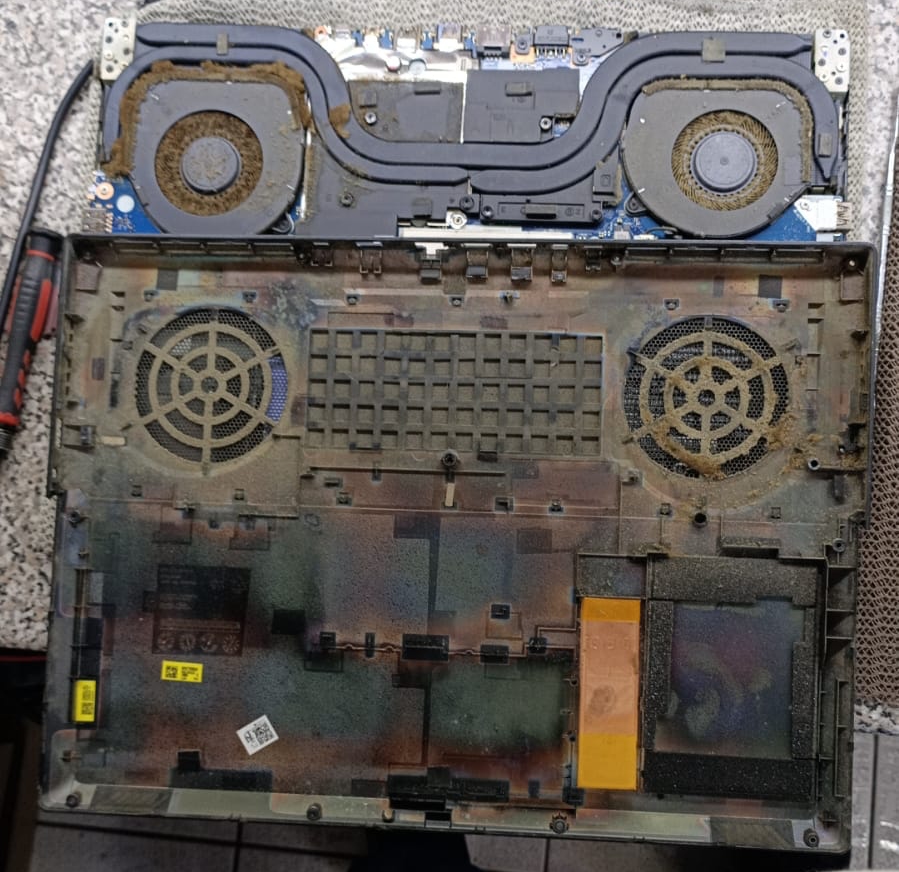
Alongside the screen replacement, the customer requested an internal health check, including inspection of the cooling system and thermal paste, to make sure the rest of the laptop was still in good condition.
That turned out to be a very sensible decision.
During the internal inspection, we discovered that the battery had swollen significantly. This is a serious issue in any laptop, but especially in slim, tightly engineered gaming models such as the Razer Blade. The swelling had already started pushing against nearby internal parts and was affecting the trackpad buttons, making them difficult to press properly.
The cause of the trackpad issue was not the trackpad itself, but the expanded battery pressing upward from underneath. Left unresolved, this could have caused further internal stress, damage to the chassis, or even safety concerns over time.
To resolve the issue properly, the swollen battery was replaced with a genuine RC30-0270 battery.