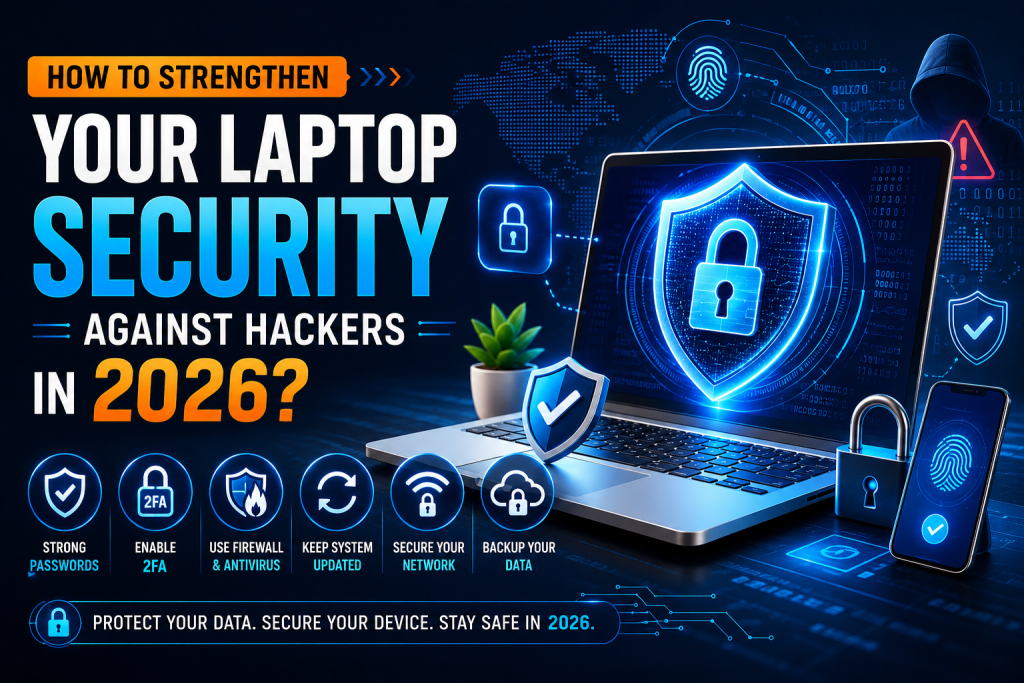
Cybersecurity threats continue to evolve rapidly, and hackers are becoming more sophisticated in their methods. In 2026, laptops remain one of the primary targets for cybercriminals because they contain valuable personal, financial, and business information. Whether you’re a remote worker, student, business owner, or everyday internet user, protecting your laptop from hackers should be a top priority.
From phishing attacks and ransomware to AI-powered cyber threats, hackers are constantly searching for new ways to gain unauthorized access to devices and sensitive data. A successful attack can lead to identity theft, financial losses, data breaches, and significant disruption to your personal or professional life.
For individuals and businesses throughout London, including Hayes, Chertsey, and Kilburn, strengthening laptop security is essential for maintaining privacy, productivity, and peace of mind. Whether you need better protection, malware prevention, or professional virus removal services, this guide outlines practical and effective strategies to help protect your laptop against hackers in 2026.
Why Laptop Security Matters More Than Ever
Modern laptops store a wealth of sensitive information, including:
- Banking credentials
- Business documents
- Client information
- Personal photos and videos
- Tax records
- Passwords
- Email accounts
- Cloud storage access
Hackers target laptops because gaining access to one device can often provide access to multiple accounts and systems.
Without proper security measures, users may face:
- Identity theft
- Financial fraud
- Data loss
- Unauthorized account access
- Business interruptions
- Privacy violations
Creating a strong security posture helps reduce these risks significantly.
Understanding How Hackers Attack Laptops
Before implementing security measures, it is important to understand the most common attack methods used by cybercriminals.
Phishing Attacks
Phishing remains one of the most successful hacking techniques.
Attackers send emails or messages that appear legitimate and attempt to trick users into:
- Revealing passwords
- Downloading malware
- Clicking malicious links
- Sharing financial information
Modern phishing scams often use AI-generated content, making them more convincing than ever.
Malware Infections
Malware is malicious software designed to damage systems or steal information.
Common types include:
- Viruses
- Trojans
- Spyware
- Worms
- Keyloggers
Malware can enter your laptop through downloads, email attachments, compromised websites, or infected USB drives.
Ransomware
Ransomware encrypts files and demands payment for their release.
In recent years, ransomware attacks have become increasingly sophisticated and can affect both individuals and businesses.
Victims often lose access to important data and may suffer significant downtime.
Public Wi-Fi Exploits
Unsecured public Wi-Fi networks provide opportunities for hackers to intercept communications and steal information.
Attackers can capture:
- Login credentials
- Banking information
- Personal messages
- Business data
Users should exercise caution when connecting to public networks.
Social Engineering
Social engineering attacks target people rather than technology.
Hackers manipulate users into providing information by pretending to be:
- Technical support representatives
- Employers
- Financial institutions
- Service providers
Awareness and skepticism are critical defenses.
Step 1: Keep Your Operating System Updated
One of the simplest yet most effective security measures is keeping your operating system updated.
Software updates provide:
- Security patches
- Bug fixes
- Vulnerability corrections
- Improved system protection
Enable automatic updates whenever possible.
Operating systems that are not updated regularly become attractive targets for hackers.
Step 2: Use Advanced Antivirus and Anti-Malware Protection
Modern cybersecurity threats require modern protection tools.
A comprehensive security solution should include:
- Real-time threat detection
- Malware removal
- Ransomware protection
- Web filtering
- Behavioral analysis
Regular scans help identify threats before they cause damage.
Security software should always be updated to recognize the latest threats.
Step 3: Enable a Strong Firewall
A firewall acts as a barrier between your laptop and potentially harmful internet traffic.
It helps:
- Block unauthorized access
- Prevent suspicious connections
- Monitor network activity
Most laptops include built-in firewall protection.
Ensure that your firewall remains enabled at all times.
Step 4: Create Strong Passwords
Weak passwords are one of the most common causes of compromised accounts.
A strong password should:
- Be at least 12–16 characters long
- Include uppercase and lowercase letters
- Include numbers
- Include symbols
Avoid:
- Names
- Birthdates
- Common words
- Reused passwords
Every online account should have a unique password.
Step 5: Use Multi-Factor Authentication (MFA)
Passwords alone are no longer enough.
Multi-factor authentication requires additional verification, such as:
- Authentication apps
- Text message codes
- Security keys
- Biometric verification
Enable MFA for:
- Email accounts
- Banking services
- Cloud storage
- Social media platforms
- Business applications
This dramatically reduces unauthorized access risks.
Step 6: Secure Your Web Browser
Your browser is one of the primary gateways hackers target.
Improve browser security by:
Keeping It Updated
Always use the latest version.
Limiting Extensions
Install only trusted browser extensions.
Blocking Pop-Ups
Malicious advertisements can spread malware.
Enabling Safe Browsing
Most modern browsers offer built-in protection against harmful websites.
Take advantage of these features.
Step 7: Be Careful with Downloads
Many cyberattacks begin with infected downloads.
Only download files from trusted sources.
Avoid:
- Pirated software
- Unknown websites
- Suspicious email attachments
- Unverified downloads
Always scan downloaded files before opening them.
Step 8: Protect Your Email Account
Your email account often serves as the gateway to all other online accounts.
Protect it with:
- Strong passwords
- MFA
- Security alerts
- Updated recovery options
Be cautious when opening attachments or clicking links from unknown senders.
Step 9: Secure Your Wi-Fi Network
An insecure wireless network can expose your laptop to hackers.
To improve network security:
Use WPA3 Encryption
This provides stronger protection than older encryption methods.
Change Default Router Credentials
Many default passwords are publicly available.
Update Router Firmware
Manufacturers release updates to fix vulnerabilities.
Disable Unnecessary Features
Reduce attack surfaces by turning off unused services.
Step 10: Encrypt Your Laptop
Encryption protects your data even if your device is lost or stolen.
Benefits include:
- Enhanced privacy
- Data protection
- Reduced risk of unauthorized access
Most modern operating systems provide built-in encryption tools.
Enable full-disk encryption whenever possible.
Step 11: Backup Your Data Regularly
Backups are essential for recovering from cyberattacks.
Important data should be stored in multiple locations.
The recommended approach is:
- Local backup
- External backup
- Cloud backup
Regular backups ensure business continuity and personal data recovery.
Step 12: Monitor Account Activity
Hackers often gain access to accounts before users realize something is wrong.
Regularly review:
- Login activity
- Banking transactions
- Cloud storage access
- Social media security logs
Early detection can prevent significant damage.
Step 13: Learn to Recognize AI-Powered Scams
Artificial intelligence has transformed cybercrime.
Hackers now use AI to create:
- Realistic phishing emails
- Fake customer service messages
- Deepfake voice recordings
- Fraudulent video calls
Always verify requests for sensitive information before responding.
Step 14: Secure Remote Work Environments
Remote workers face unique cybersecurity challenges.
Best practices include:
Separate Work and Personal Activities
Avoid mixing personal and business accounts.
Lock Your Laptop
Use automatic screen locks and password protection.
Use Secure Connections
Avoid handling sensitive tasks on public networks.
Protect Confidential Information
Store business data securely and limit access.
Step 15: Create a Personal Cybersecurity Routine
Strong security requires ongoing attention.
Weekly Tasks
- Run malware scans
- Check updates
- Review downloads
Monthly Tasks
- Backup files
- Audit accounts
- Remove unused software
Quarterly Tasks
- Update passwords
- Review security settings
- Assess potential vulnerabilities
Consistency significantly improves protection.
Warning Signs Your Laptop May Have Been Hacked
Watch for these indicators:
- Unusual slowdowns
- Frequent crashes
- Unknown software installations
- Browser redirects
- Pop-up advertisements
- Unauthorized account activity
- Increased network usage
If you notice these symptoms, investigate immediately.
Cybersecurity Trends to Watch in 2026
The threat landscape continues to evolve.
Emerging trends include:
AI-Powered Cyberattacks
Malware is becoming smarter and more adaptive.
Credential Theft
Hackers increasingly target login information rather than devices themselves.
Cloud Security Threats
As cloud adoption grows, attackers focus on online storage platforms.
Deepfake Scams
Voice and video impersonation attacks are becoming more convincing.
Staying informed helps users remain prepared.
Professional Security Support for London Users
Many individuals and businesses in Hayes, Chertsey, and Kilburn rely on professional IT support to strengthen their cybersecurity defenses.
Professional assistance can help with:
- Security audits
- Malware removal
- Network protection
- Data recovery
- System optimization
- Backup solutions
Geeks Call Out plays a key role in providing reliable cybersecurity and IT support services for users who want stronger digital protection and professional technical assistance.
Frequently Asked Questions (FAQs)
- What is the biggest hacking threat to laptop users in 2026?
Answer:
AI-powered phishing attacks are among the most significant threats because they can closely mimic legitimate communications and trick users into revealing sensitive information.
- How often should I update my laptop?
Answer:
You should install updates as soon as they become available. Enabling automatic updates ensures your system receives critical security patches promptly.
- Is antivirus software enough to stop hackers?
Answer:
No. Antivirus software is important, but it should be combined with strong passwords, multi-factor authentication, secure browsing habits, and regular backups for complete protection.
- Can public Wi-Fi expose my laptop to hackers?
Answer:
Yes. Unsecured public Wi-Fi networks can allow attackers to intercept data and monitor online activity. Avoid accessing sensitive accounts on public networks whenever possible.
- What should I do if I think my laptop has been hacked?
Answer:
Disconnect from the internet, run a full malware scan, change important passwords, review account activity, restore data from backups if needed, and seek professional IT support for a thorough security assessment.