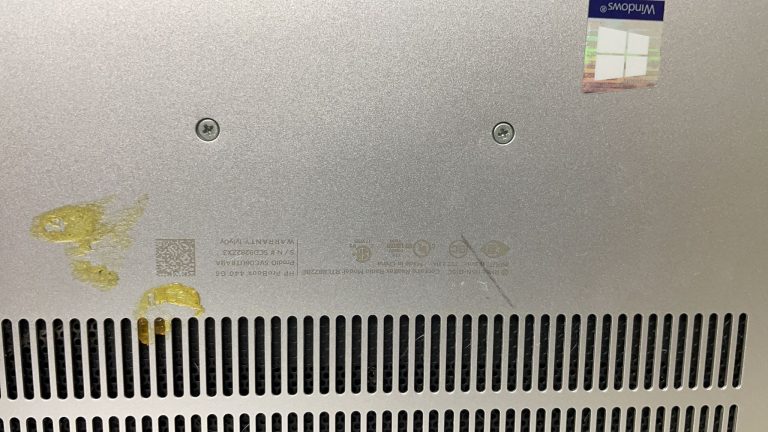
HP ProBook 440 Screen and Motherboard Repair Near Earls Court SW5

A broken laptop screen is usually frustrating, but in most cases customers expect it to be a straightforward repair. Unfortunately, that was not how this case started.

This repair involved an HP ProBook 440 from a customer based near Earls Court, SW5. The laptop originally had a damaged screen, but after being taken to another repair company, the problem became more serious. The screen was still not replaced, and the laptop had developed a motherboard fault during the attempted repair.

The customer contacted Geeks Callout London after being left with a laptop that had gone from a simple screen issue to a more complicated repair.

The Original Problem: A Broken HP ProBook Screen

The customer first needed help because the screen on their HP ProBook 440 was damaged. For a work laptop, this can be a real problem. Even when the laptop itself powers on, a broken or unusable display can stop you from working, joining meetings, replying to emails or accessing important files properly.

Before coming to us, the laptop had already been taken to another repair company. The customer expected the screen to be replaced, but the repair did not go to plan.

The company was unable to source the correct replacement screen and, during the attempted repair, another fault was introduced.

What Went Wrong During the Previous Repair

When replacing a laptop screen, it is important to disconnect the battery before working around the display connector and motherboard circuit. This reduces the risk of shorting or back voltage damage.

In this case, the battery had not been disconnected during the previous repair attempt. As a result, a back voltage issue damaged a fuse on the motherboard.

That meant the customer now had two separate problems:
  1.  the original broken HP ProBook screen
  2. a motherboard fault caused during the failed repair attempt
 

This is why laptop repairs need to be handled carefully. A screen replacement may look simple from the outside, but one small mistake inside the laptop can create a much bigger issue.

Collection from Near Earls Court

The customer got in touch with Geeks Callout London and explained what had happened. Because the laptop was needed quickly, we arranged collection from near Earls Court SW5 at around 2 pm.

Once the laptop reached our repair lab, our engineer started with a full inspection. This was important because the laptop had already been opened elsewhere, so we needed to check more than just the screen.

With failed repair attempts, we usually inspect the screen connector, display cable, backlight circuit, motherboard fuses and any signs of accidental damage around the board.

Diagnosis: Screen Damage and Motherboard Fuse Fault

After testing the HP ProBook 440, our engineer confirmed that the screen did need replacing. We also found that the motherboard fuse had been damaged, which explained why simply fitting a new screen would not have solved the problem.

This type of fault can easily be misdiagnosed. A customer may think the laptop only needs a screen, but if the display circuit on the motherboard has been affected, the laptop may still show no image even after a new screen is installed.

The correct approach was to repair the motherboard fault first and then replace the screen with the right part.

Fitting the Correct HP Screen

We sourced a suitable HP screen replacement for the ProBook 440 and fitted it carefully.

Using the correct screen matters. An incorrect or poor-quality screen can cause problems such as poor brightness, flickering, colour issues, fitting problems or early failure.

Once the replacement screen was installed, we checked the display quality, brightness control, image stability and screen fitting to make sure everything was working as expected.

Motherboard Fuse Repair

The more technical part of this repair was the motherboard work.

Because the fault was linked to a damaged fuse, our engineer was able to repair the affected section at component level. This avoided the need for a full motherboard replacement and helped keep the cost sensible for the customer.

This is where proper diagnosis makes a big difference. Without checking the board properly, the customer could have been told that the laptop was not repairable or that it needed a much more expensive motherboard replacement.

In this case, repairing the damaged fuse restored the display circuit and allowed the new screen to work correctly.

Same-Day Repair Under £167

Despite the laptop having both a broken screen and a motherboard fault, the full repair cost was under £167.

For the customer, this was a practical result. The laptop did not need to be replaced, the motherboard did not need a full replacement, and the original screen issue was also resolved.

The repair was completed the same day, which was especially helpful because the customer needed the laptop back quickly.

Testing Before Return

After the screen replacement and motherboard fuse repair, we carried out full testing before returning the laptop.

We checked:

  • screen display quality
  • brightness adjustment
  • image stability
  • display cable connection
  • motherboard response
  • startup behaviour
  • charging and basic system function
  • general laptop stability
 

We also shared photos, videos and repair updates with the customer through WhatsApp. This helped the customer understand what had gone wrong and what had been repaired.

The laptop was returned to the customer near Earls Court SW5 at around 7:30 pm the same day.

What This Repair Shows

This case is a useful reminder that a broken laptop screen is not always just a screen problem, especially if the device has already been opened or repaired elsewhere.

The HP ProBook 440 came to us with a damaged screen, but the previous repair attempt had also caused a motherboard fault. By diagnosing the laptop properly, we were able to repair the damaged fuse, fit the correct screen and return the laptop working again.

The customer avoided a costly replacement and had the device back on the same day.

Signs a Laptop Screen Fault May Need Deeper Diagnosis

A laptop may need more than a screen replacement if:

  1. the laptop powers on but the screen stays black
  2. a new screen has been fitted but there is still no display
  3. the laptop works on an external monitor but not its own screen
  4. there is no backlight
  5. the screen flickers or cuts out
  6. the laptop stopped working after being opened
  7. the display cable or connector has been disturbed
  8. another repair company has already attempted the repair
 

In these cases, the fault may be with the display cable, connector, backlight circuit, motherboard fuse or another board-level component.

HP ProBook Repair Near Earls Court SW5

At Geeks Callout London, we repair HP laptops including screen damage, no-display faults, motherboard issues, charging problems, overheating, keyboard faults and failed repair attempts.

This HP ProBook 440 repair near Earls Court SW5 involved same-day collection, screen replacement, motherboard fuse repair, WhatsApp updates, full testing and same-day return.

If your HP laptop screen is broken, or a previous repair has made the issue worse, it may still be repairable with the right diagnosis.

Author 's Profile

Picture of Aamir.M

Aamir.M

Aamir Mehmood is a Senior IT Consultant & Technology Writer with over 15+ years of experience and one of the founders of Geeks Callout, an award-winning London-based IT support company specialising in PC, MacBook, and gaming repairs. He is recognised for delivering reliable, customer-focused IT solutions. Under his leadership, Geeks Callout has won multiple honours, including the 2023 Business Excellence Award and the 2025 SME UK Enterprise Award. Aamir also writes insightful articles to simplify complex technology, making him a trusted voice in London’s IT community.