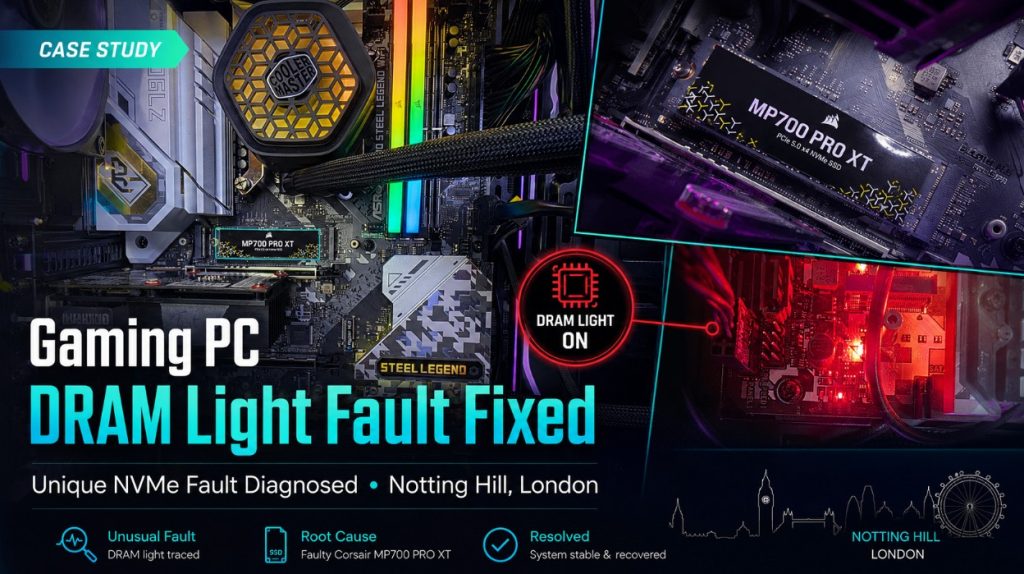
The Unusual Diagnosis: Faulty NVMe Causing DRAM Light
After further testing in the lab, our gaming PC engineer found the real cause.
The issue was linked to the Corsair MP700 PRO XT NVMe SSD.
This was unusual because most people would not expect an NVMe storage drive to cause a motherboard DRAM warning light. Normally, if an NVMe fails, you might expect Windows boot errors, missing drive messages, slow loading, freezing, or installation problems.
But in this case, the system was getting stuck earlier in the boot process and showing the DRAM light.
After a full round of diagnostics, the breakthrough came when we removed the Corsair MP700 PRO XT drive. Once that drive was removed, the computer started booting normally again.
That confirmed the fault.
The RAM was not the problem. The graphics card was not the problem. The motherboard was not dead. The faulty NVMe drive was stopping the system from completing its startup process and causing a misleading DRAM warning.
Why This Was a Tricky Fault
This repair was a good reminder that motherboard diagnostic lights do not always tell the full story.
A DRAM light is helpful, but it does not guarantee that the RAM is faulty. It only shows where the board is getting stuck during its checks. Sometimes another component can interfere with the boot process and make the motherboard report a misleading fault.
In this case, the Corsair MP700 PRO XT NVMe was causing the system to behave as though there was a memory-related fault.
This is exactly why proper testing matters. If we had simply replaced the RAM or motherboard, the customer could have spent a lot of money and still had the same issue.
Checking the Cooling System
While diagnosing the boot issue, we also checked the cooling setup. The customer had fitted a Cooler Master liquid cooler, but testing showed the system was still running hotter than it should.
With a 13th generation Intel i9 processor, cooling is very important. These processors can run hot under load, especially inside a gaming PC with a powerful graphics card and high-speed storage.
After checking the system, we recommended replacing the existing cooler with an ARCTIC 240mm liquid cooler. This gave the processor a more stable cooling setup and helped reduce the risk of overheating during gaming or heavy use.
The customer approved the work, and we replaced the cooling system as part of the repair.
Windows 11 Installed on the Crucial NVMe
The customer had two NVMe drives installed:
Once the Corsair drive was confirmed faulty, we removed it from the boot process and installed Windows 11 on the Crucial NVMe.
After installation, the system booted normally, responded properly and no longer got stuck at the DRAM light stage.
We then tested the PC again to make sure the fault was genuinely resolved and not simply hidden temporarily.
Final Testing and Result
After removing the faulty Corsair MP700 PRO XT, replacing the cooling system with an ARCTIC 240mm liquid cooler, and installing Windows 11 on the Crucial NVMe, the gaming PC was finally working properly again.
The system was:
booting normally
no longer stuck on the DRAM warning light
running Windows 11 from the Crucial NVMe
more stable during testing
better cooled with the ARCTIC liquid cooler
ready to return to the customer
For the customer, this was a big relief. The PC had been built only a few months earlier, and because the DRAM light kept appearing, it looked like it could be a serious motherboard or RAM fault.
Instead, the issue was traced to a faulty NVMe drive after proper diagnostics.
What This Case Shows
This Notting Hill gaming PC repair is a perfect example of why custom PC diagnosis should not be rushed.
A motherboard warning light is a useful clue, but it is not always the final answer. In this case, the DRAM light pointed us towards the memory side of the system, but the real fault was elsewhere.
The most important lessons from this repair are:
a DRAM light does not always mean faulty RAM
NVMe drive faults can sometimes cause strange boot behaviour
custom gaming PCs need structured diagnosis
high-end Intel i9 systems need strong cooling
replacing parts without testing can waste money
lab testing can reveal faults that are difficult to confirm on-site
This was not a common fault, and it is exactly the kind of repair where experience matters.
Common Reasons a Gaming PC Shows a DRAM Light
A DRAM warning light can be caused by several issues, including:
This case shows that storage devices, including NVMe drives, should not be ignored during deeper diagnostics.
When Should You Get a Gaming PC Checked?
You should consider professional diagnosis if your gaming PC is showing signs such as:
motherboard DRAM light staying on
PC powers on but does not display
system turns on but does not boot into Windows
PC gets stuck during startup
repeated BIOS or boot failure
Windows installation keeps failing
PC worked before but suddenly stopped booting
high-end custom build becomes unstable after a few months
The sooner the system is tested properly, the easier it is to avoid unnecessary part replacements.
Gaming PC Repair in Notting Hill, London
At Geeks Callout London, we repair custom gaming PCs, high-end desktops and self-built computers with boot faults, DRAM lights, overheating, no-display problems, failed NVMe drives, Windows installation issues and cooling problems.
This gaming PC from Notting Hill, London came in with a misleading DRAM fault, but our engineer traced the real issue to a faulty Corsair MP700 PRO XT NVMe SSD. After removing the faulty drive, installing Windows 11 on the Crucial NVMe and upgrading the cooling system, the PC was running normally again.
If your gaming PC is showing a DRAM light, refusing to boot or behaving strangely after a recent build, it may not be the obvious part at fault. A proper diagnosis can save time, money and unnecessary stress.