The Problem: A Liquid-Damaged Dell XPS 15 9575
The customer contacted us after their Dell XPS 15 9575 stopped working properly following a liquid spill. This was not a simple keyboard fault. Once we inspected the laptop, it was clear that the liquid had reached deeper inside the machine.
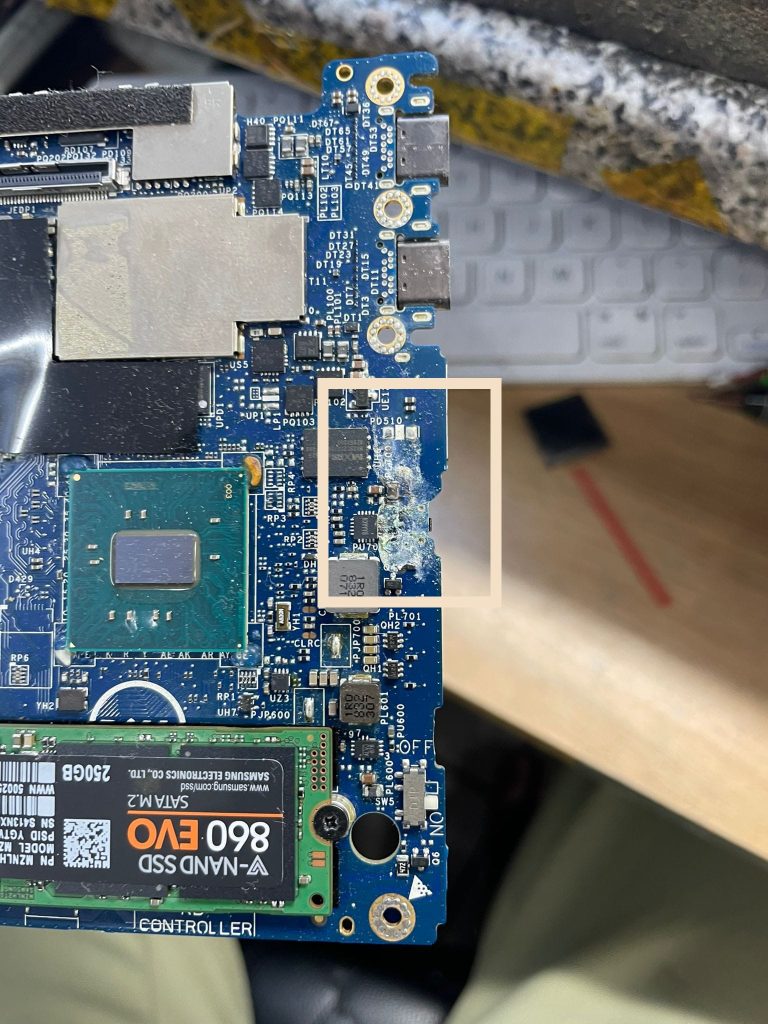
There were visible signs of corrosion around the keyboard area and motherboard components. Liquid residue had started affecting delicate circuits, and there was a real risk that the damage would spread if the laptop was powered on again without proper cleaning.
The customer was understandably frustrated. They had already approached another repair company and had been turned away. For many people, this is the point where they assume the only option is to buy a new laptop. Fortunately, this Dell XPS still had a chance.
Why Liquid Damage Needs Proper Diagnosis
One of the biggest mistakes after a laptop spill is assuming the device is fine just because it powers on briefly, or trying to dry it with heat at home. Liquid damage can continue to cause corrosion even after the laptop appears dry.
With premium laptops such as the Dell XPS 15 9575, the internal design is compact, which means liquid can quickly reach the keyboard, connectors, motherboard and other sensitive components.
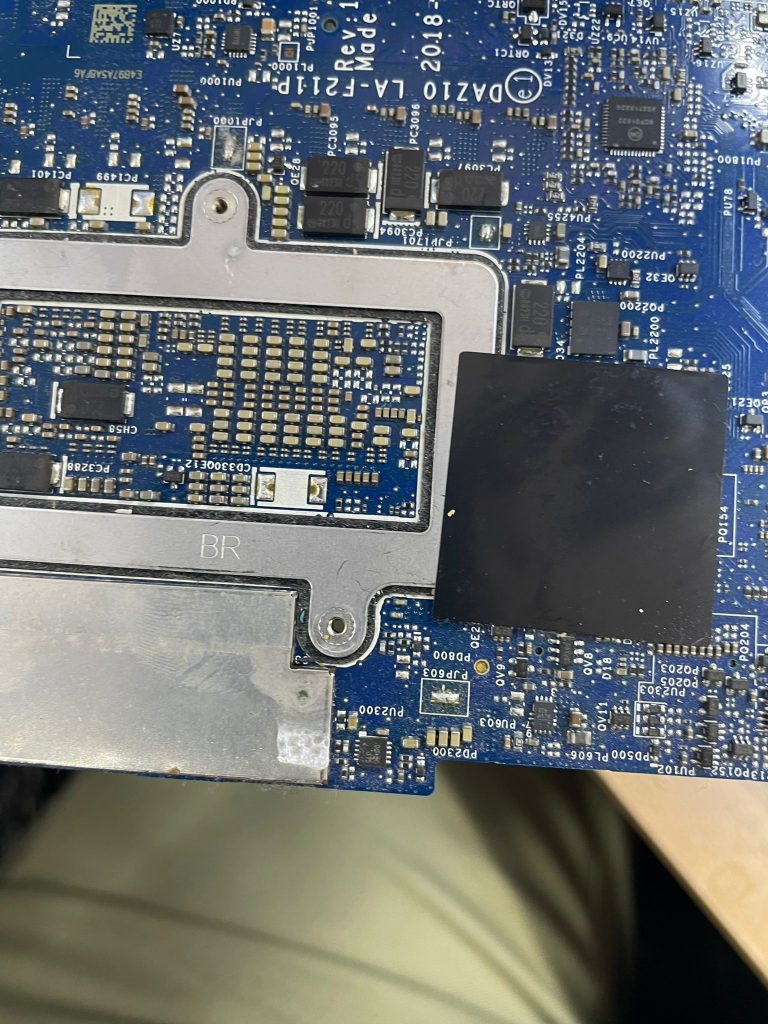
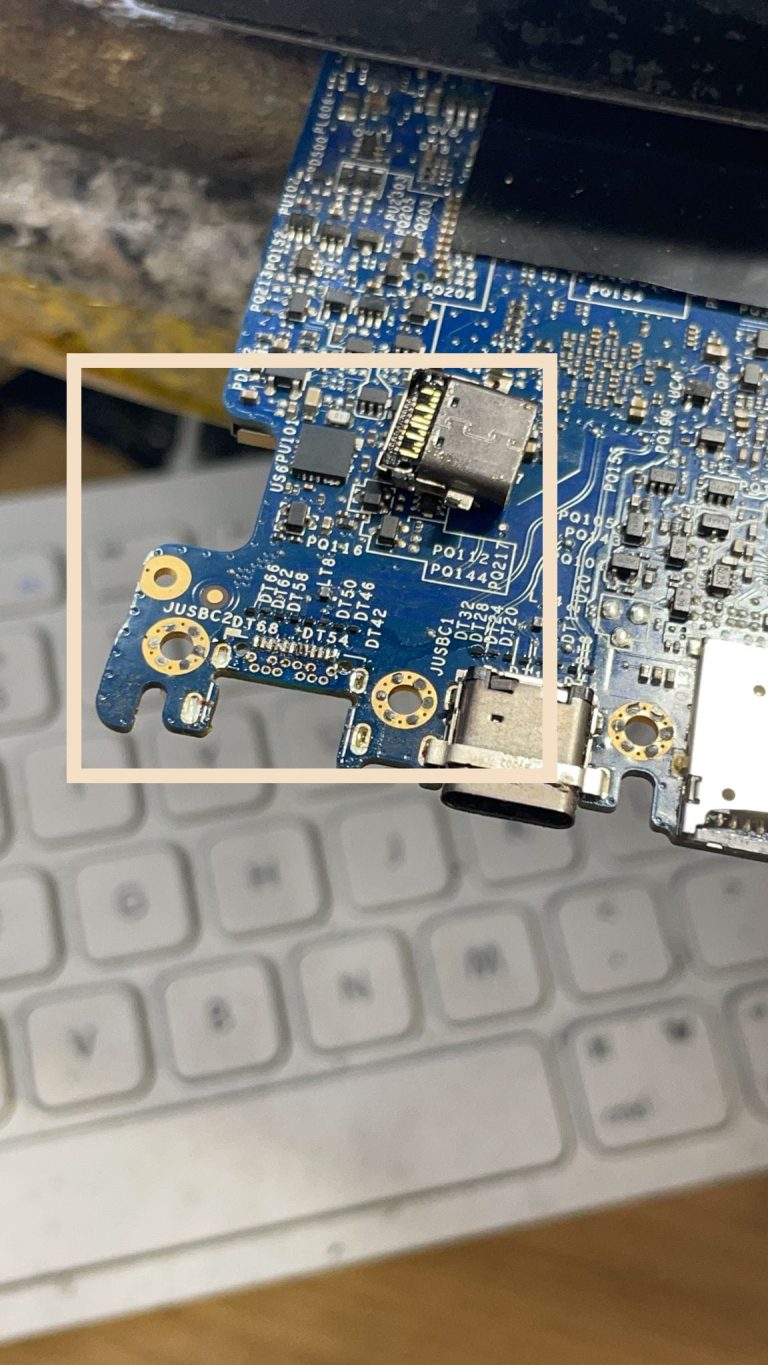
Our first step was to carry out a detailed diagnosis. We checked the affected areas, inspected the motherboard under magnification and identified the points where corrosion had started to affect the laptop’s stability.
This gave us a clear repair plan instead of simply replacing parts at random.
Component-Level Repair and Board Restoration
At Geeks Callout, we do not automatically write off a device just because it has liquid damage. In this case, our engineer carried out component-level repair to target the actual damaged areas.
The affected components were carefully checked, and where replacement was needed, suitable parts were used. The motherboard required particular attention because corrosion around small components can interrupt power flow, create short circuits and prevent the laptop from starting correctly.
By working at board level, we were able to repair the fault more precisely and avoid unnecessary replacement of the entire motherboard where possible. This helped keep the repair practical and cost-effective for the customer.
Ultrasonic Cleaning to Remove Corrosion
After identifying the damaged areas, the motherboard was treated using an ultrasonic cleaning process.
Ultrasonic cleaning is a specialist technique used to remove corrosion and residue from electronic circuit boards. The board is placed in a suitable cleaning solution, and high-frequency sound waves help loosen contaminants from small and difficult-to-reach areas.
This step was important because liquid residue can remain hidden under components and connectors. If not removed properly, it can continue causing faults later, even after the laptop appears to be working again.
The cleaning process helped reduce the risk of ongoing corrosion and gave the motherboard a much better chance of stable operation.
Controlled Drying After Cleaning
After ultrasonic cleaning, the motherboard needed to be dried thoroughly and safely. This stage must be done carefully because too much heat can damage delicate components.
Our engineer used controlled drying with careful temperature management to make sure moisture was removed without exposing the board to excessive heat. This helped prepare the motherboard for further testing and repair work.
Rushing this stage can lead to further faults, so we allowed the board to dry properly before continuing with the next phase of the repair.
IC Rework, Reflow and Reballing Where Required
In more serious liquid damage cases, cleaning alone may not be enough. Liquid can affect the solder joints and integrated circuits on the board, causing unstable behaviour even after corrosion has been removed.
For this Dell XPS 15 9575, our engineer carried out specialist IC work where required, including reflow and reballing techniques. These methods are used to restore reliable contact between components and the motherboard.
This type of work requires experience, the right equipment and a careful approach. It is not the same as a basic laptop clean-up. Done correctly, it can restore functionality to a board that many repair companies may consider beyond repair.
The Result: Laptop Repaired in 48 Hours
The full repair process, from collection to return, was completed within 48 hours.
The Dell XPS 15 9575 powered on successfully, the repaired board remained stable during testing, and the customer’s important work data was still available. For the customer, this was a huge relief. They avoided the cost of replacing a high-end Dell XPS laptop and did not lose the files they needed for work.
The total repair cost was under £270, which made the repair far more economical than purchasing a replacement device.
Most importantly, the customer got back a working laptop after previously being told it could not be repaired.
What This Case Shows
This Mayfair repair case is a good reminder that liquid damage does not always mean the end of a laptop. The outcome depends on several factors, including how much liquid entered the device, how quickly the laptop was powered off, whether corrosion has spread and whether the repair is handled properly.
In this case, the combination of detailed diagnosis, ultrasonic cleaning, component-level repair and careful board restoration allowed us to save the device.
It also shows why it is important to get a second opinion before replacing an expensive laptop.
What to Do If You Spill Liquid on a Laptop
If liquid is spilled on your laptop, the safest steps are:
Turn it off immediately
Disconnect the charger
Do not keep trying to power it on
Avoid using a hairdryer or direct heat
Do not shake the laptop aggressively
Arrange a professional inspection as soon as possible
The sooner the laptop is checked, the better the chance of reducing corrosion and saving the device.
Need Liquid Damage Laptop Repair in Mayfair or London?
Geeks Callout London helps customers with liquid-damaged laptops, Dell XPS repairs, MacBook liquid damage, motherboard faults, keyboard issues, data recovery and component-level repairs.
Whether you are based near Mayfair, Kensington, Fulham, Westminster or elsewhere in London, our team can inspect your device, explain the repair options clearly and help you decide whether the repair is worthwhile.
If your laptop has suffered liquid damage, do not assume it is beyond repair. Contact Geeks Callout London for expert diagnosis and practical repair advice.